Activate tariff using existing balance
Activate a session tariff for a player and pay for it from their current balance (money already on the account). No card or cash payment is taken at this step.
Step 1. Open the Hall or session booking
In the left sidebar, select Hall. Open the Control Center or List tab. Start Book Session or the flow where you add a tariff for the player.
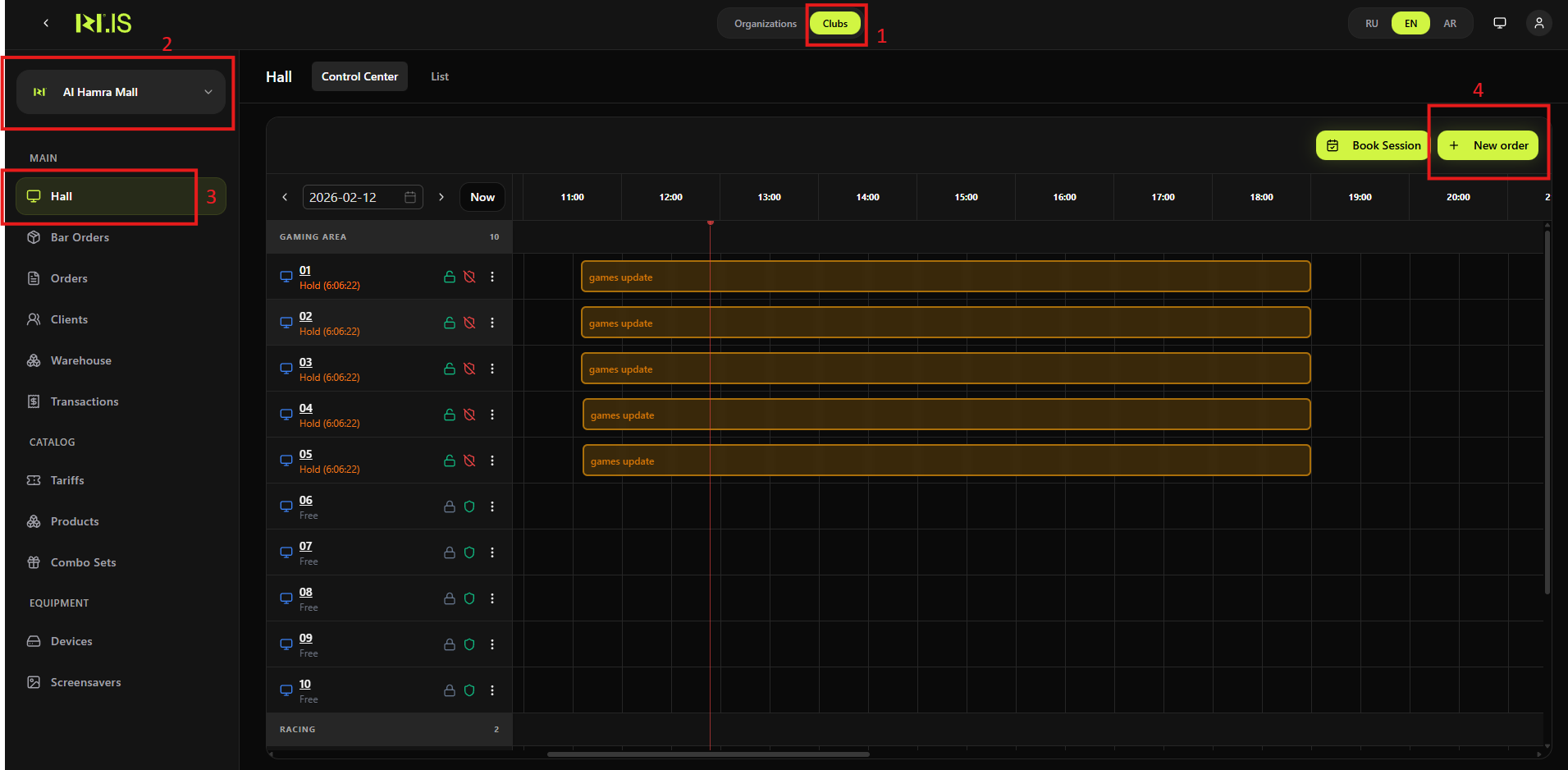
Step 2. Select client and device
Select the Client and Device, then click Select tariff and duration.
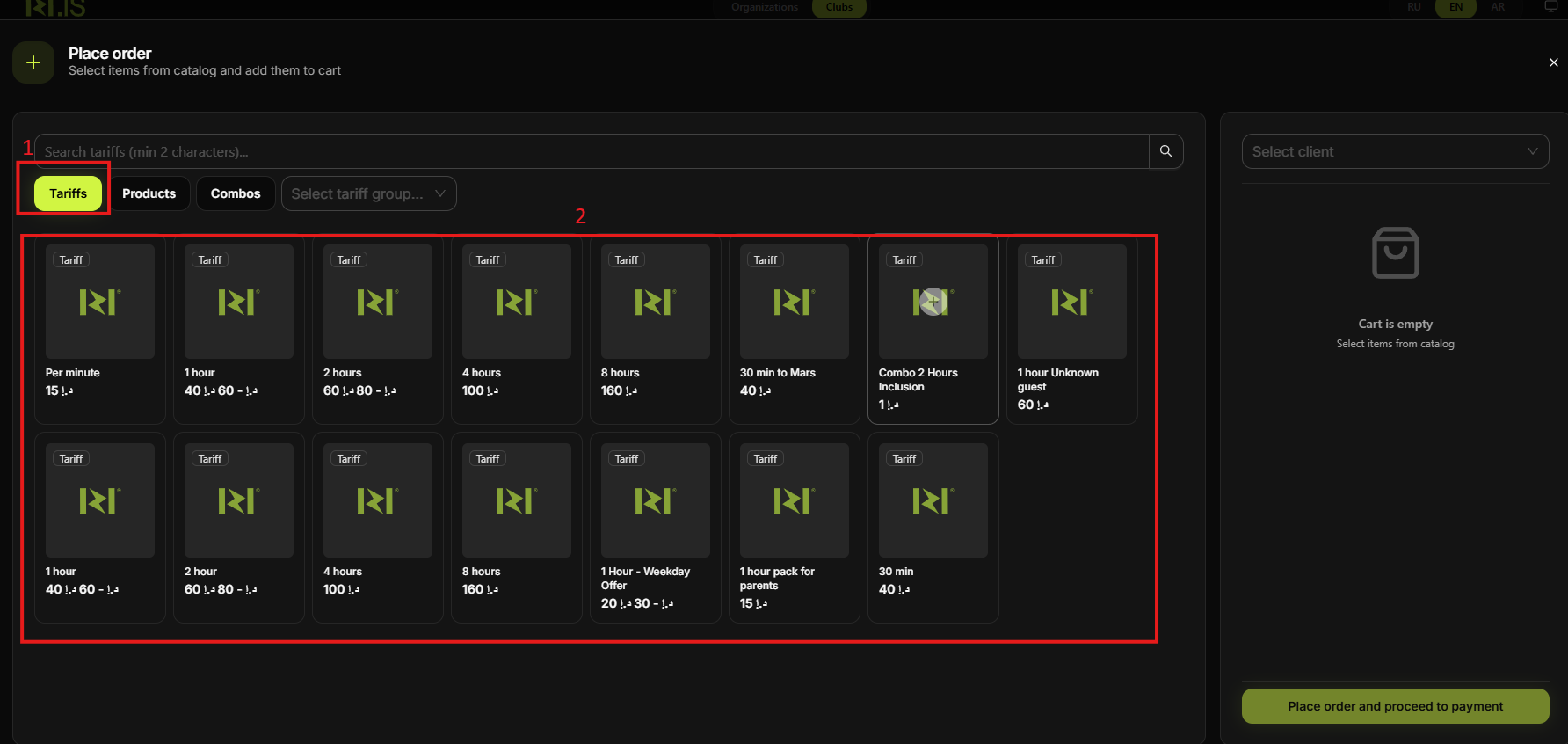
Step 3. Add the tariff
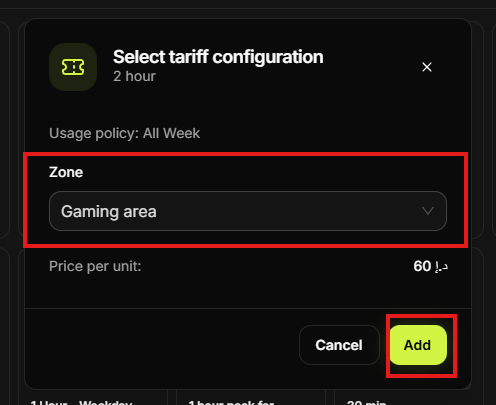
In the Tariffs tab, choose the tariff (e.g. 1 hour). Configure play time if required and add it to the cart.
Step 4. Pay from balance
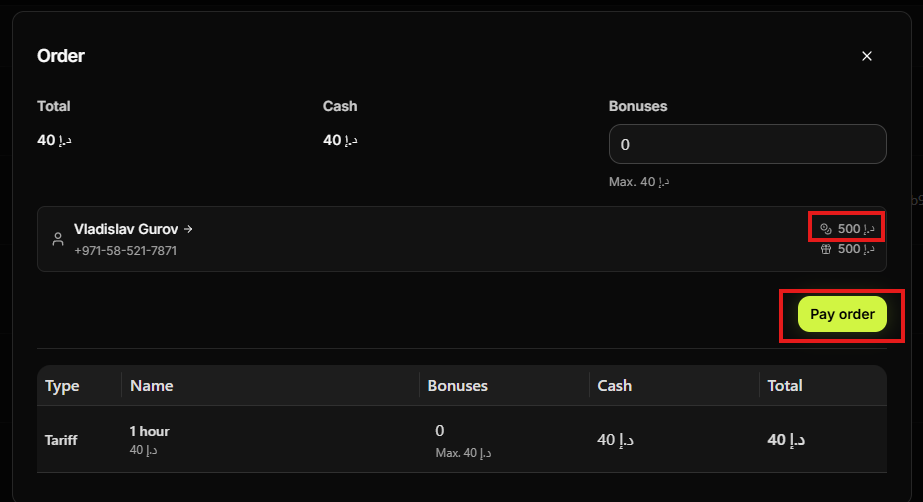
In the order or payment step, choose to pay from the player's balance. The tariff cost is deducted from the existing balance. Ensure the balance is sufficient.
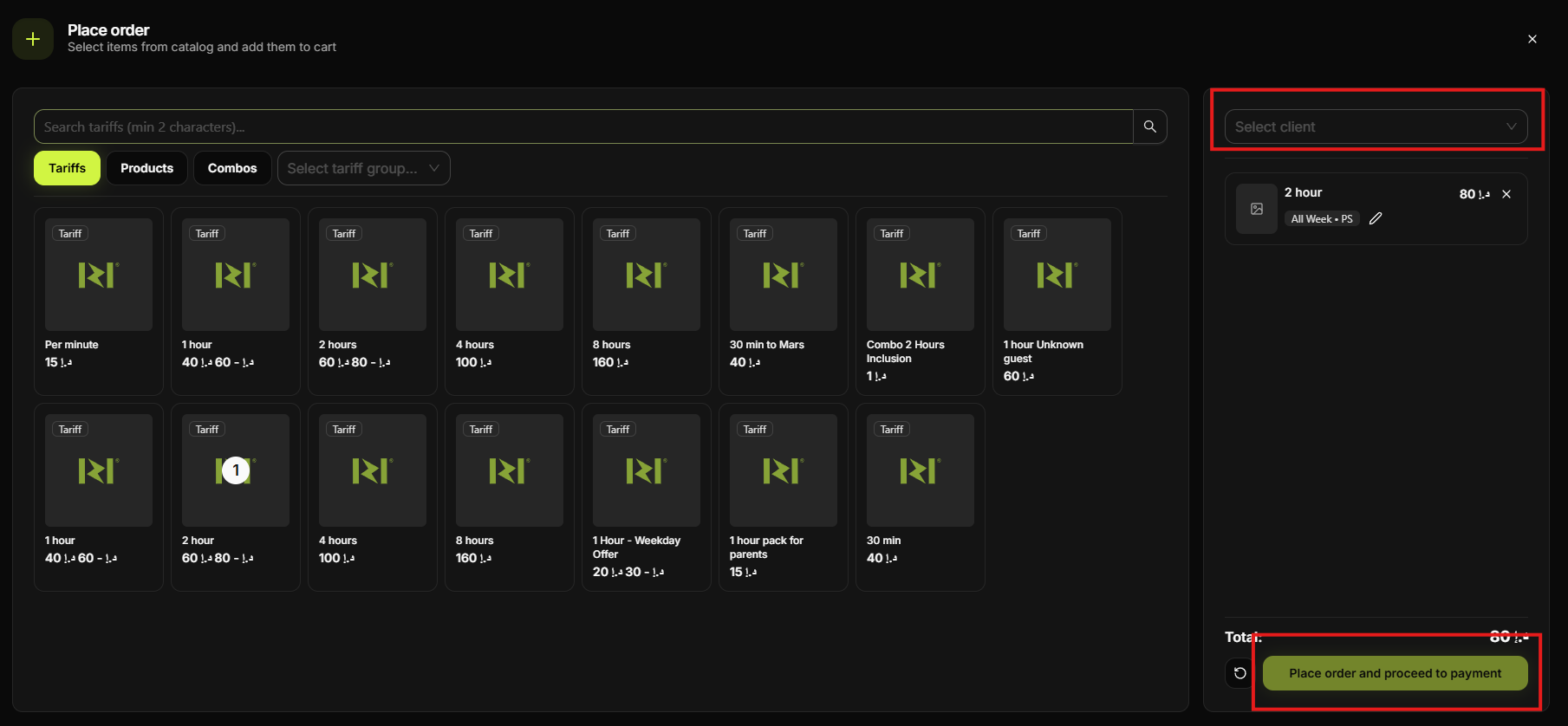
Step 5. Confirm
Confirm the order. The tariff is activated and the balance is debited. The session is created without a new card or cash payment.
Summary
Same booking flow as "Activate tariff with payment", but at the payment step you choose to pay from the player's existing balance instead of Card or Cash. No money is collected at the counter.
| Player has sufficient balance on account | If not, use Accept payment first or pay by Card/Cash for this session |
Common situations
| Insufficient balance | Use Transactions → Accept payment to top up, or complete this session with Card/Cash. |
| Pay from balance not available | Check that the client is selected and has a positive balance; some tariffs may require card/cash only. |