Goods receipt and write-off
Use the Warehouse section to record incoming stock (Receipt) or to deduct items from inventory (Write-off). Both operations require a reason or comment.
Goods receipt
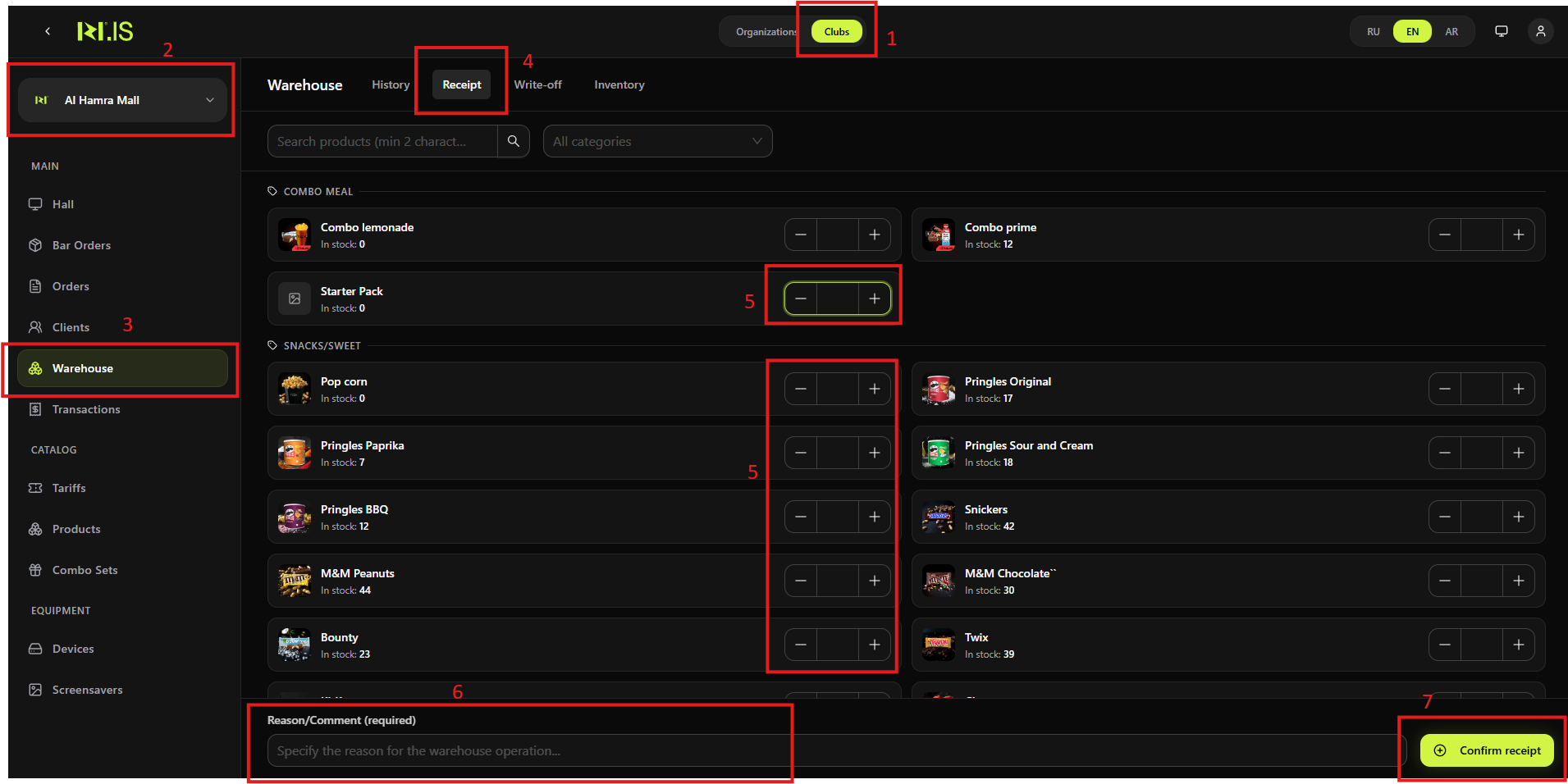
Record goods received into the warehouse so that stock levels are updated. Follow the steps as shown on the screenshot (1–7).
Write-off
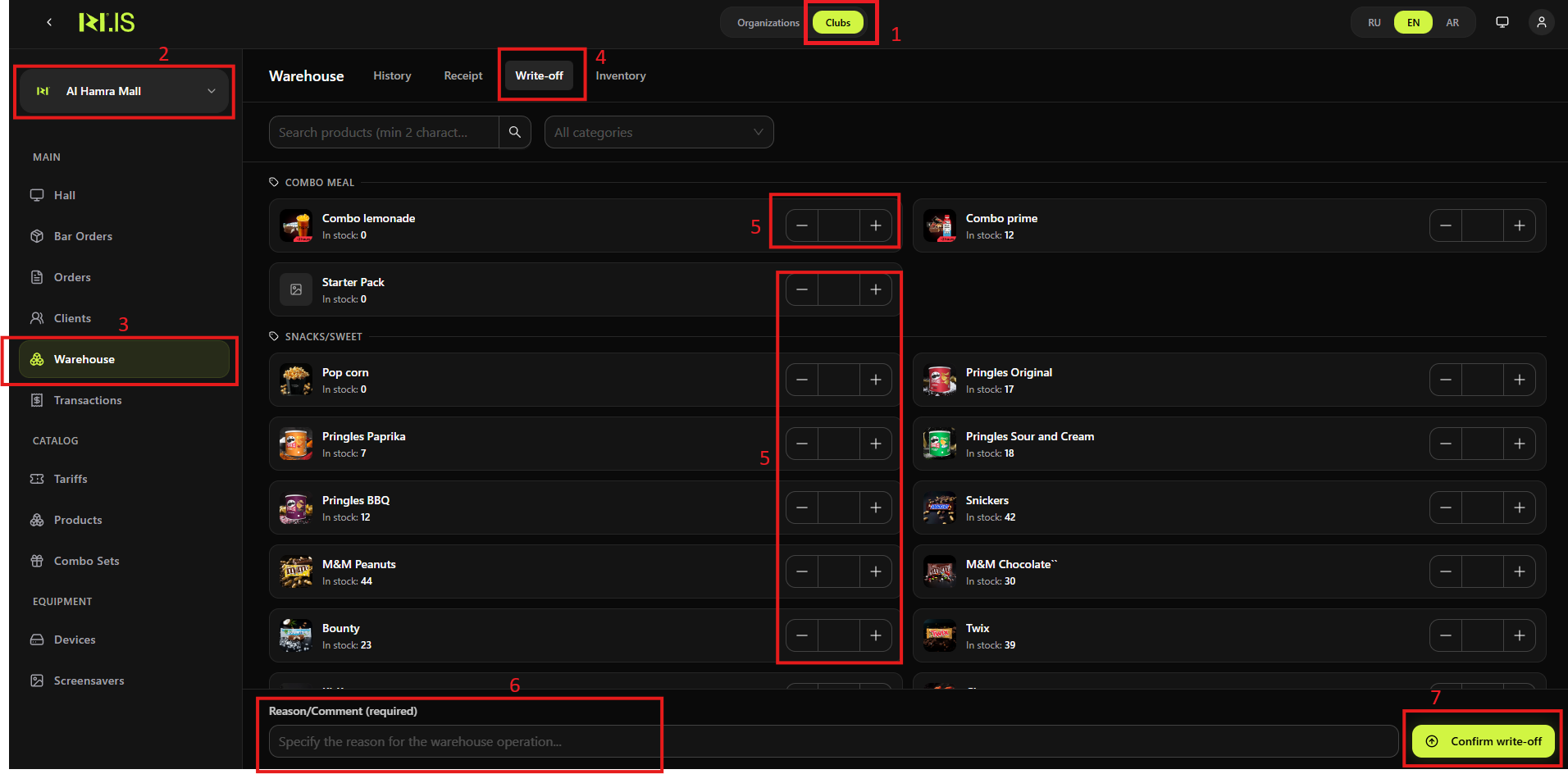
Deduct items from inventory (e.g. damaged, expired, or used). Follow the steps as shown on the screenshot (1–7).
Summary
| Operation | Where | Result |
|---|---|---|
| Goods receipt | Warehouse → Receipt tab → quantities + reason → Confirm receipt | Stock increased; recorded in History |
| Write-off | Warehouse → Write-off tab → quantities + reason → Confirm write-off | Stock decreased; recorded in History |
Common situations
| Reason/Comment required | Both operations require a reason; fill it in before confirming (e.g. delivery note for receipt, "damaged" for write-off). |
| Product not in list (write-off) | Use search or category filter in the Write-off tab to find the product. |
| Write-off more than in stock | System may block or warn; enter a quantity not exceeding current stock. |