Activate tariff using bonus
Activate a session tariff for a player and pay for it from their bonus balance. Start from the Hall (e.g. Book Session or the player's context), select the tariff, and choose to pay with bonuses.
Step 1. Open the Hall or session booking
In the left sidebar, select Hall. Open the Control Center or List tab. Use Book Session or open the player/device context where you can add a tariff.
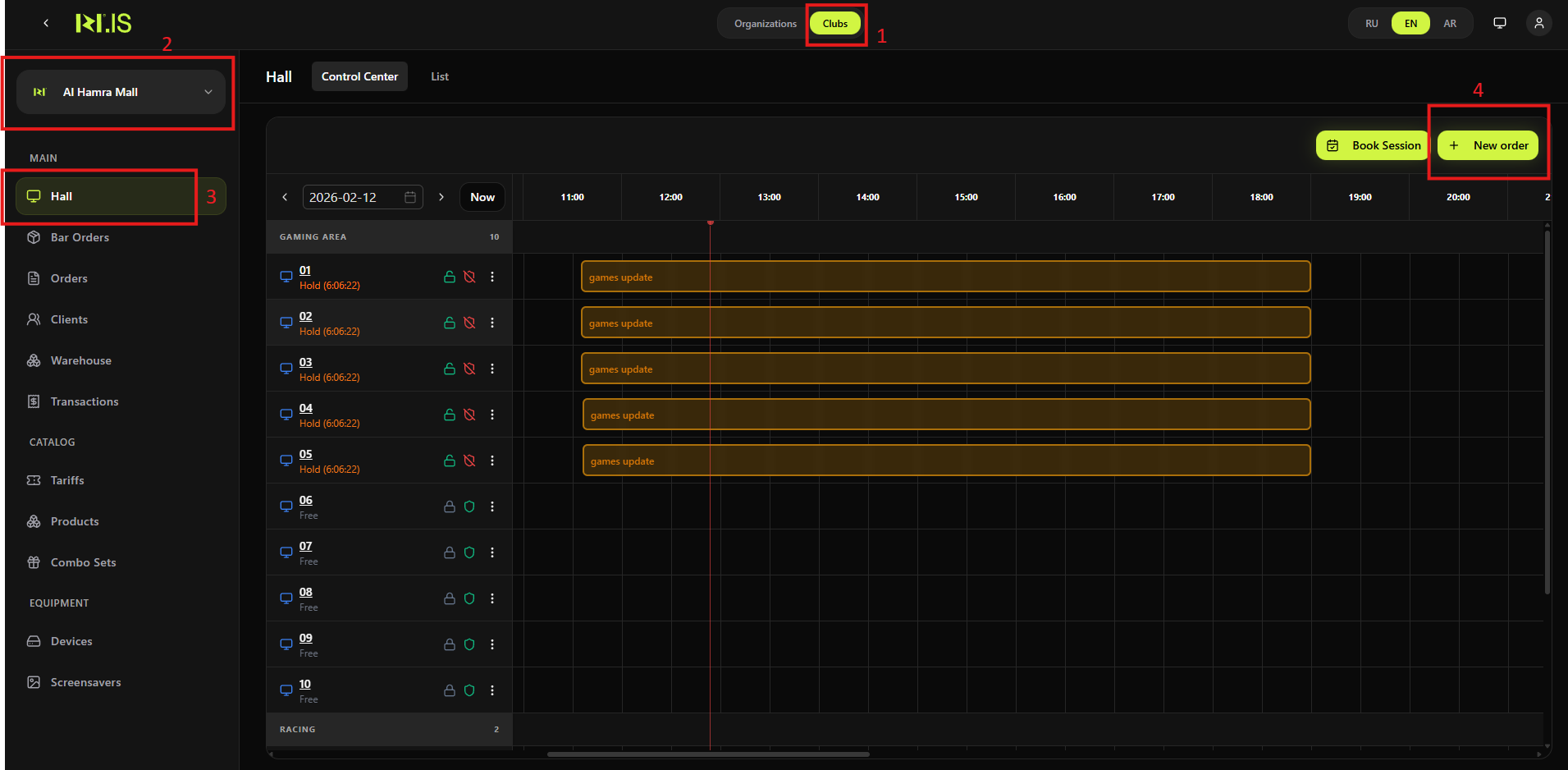
Step 2. Select client and device
In the Book session (or equivalent) flow, select the Client and Device. Then go to Select tariff and duration.
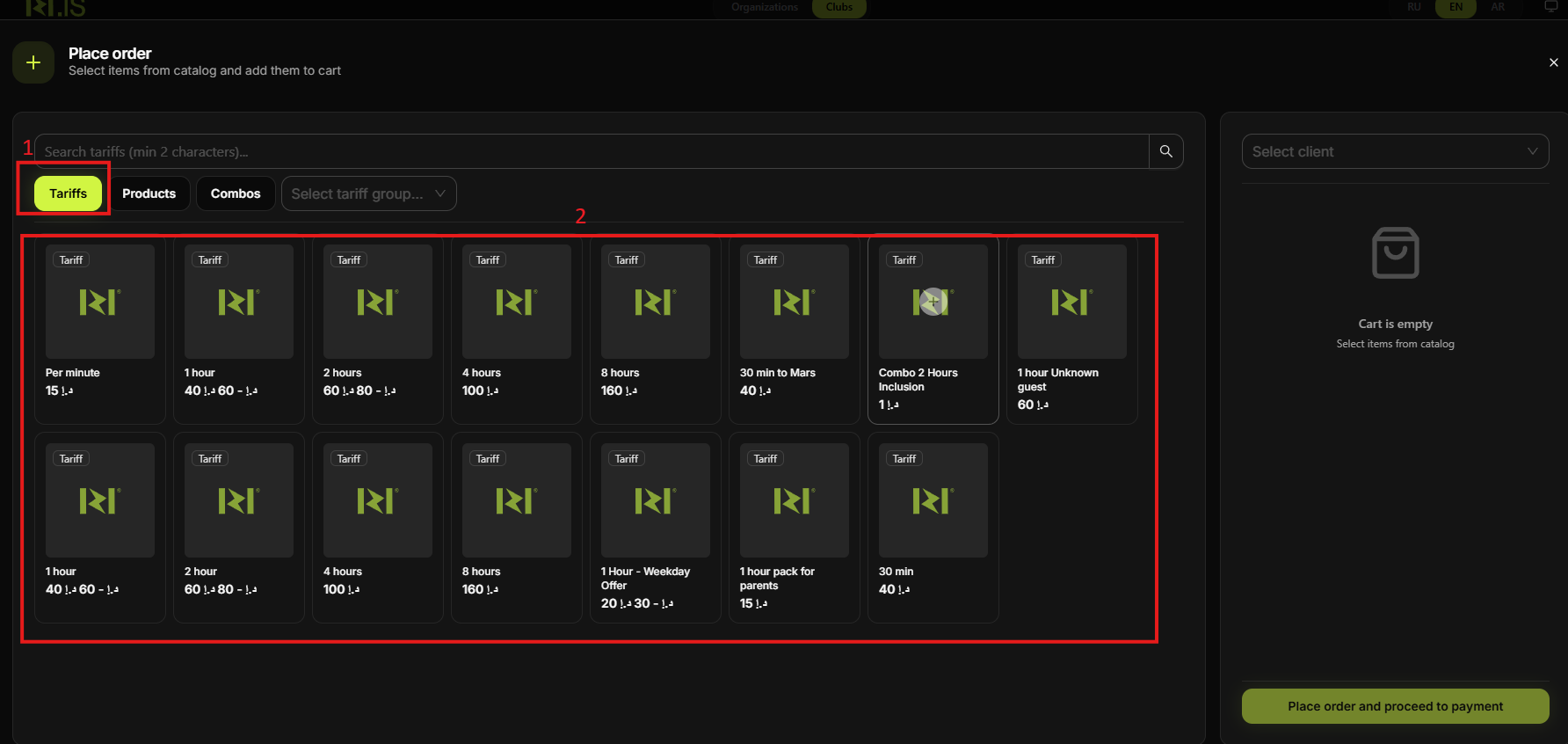
Step 3. Choose the tariff
In the Tariffs tab, click the tariff to add (e.g. 1 hour, 2 hours). If a configuration window appears, set play time and click Add.
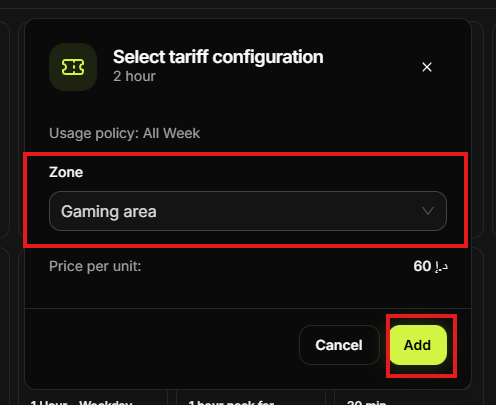
Step 4. Pay with bonuses
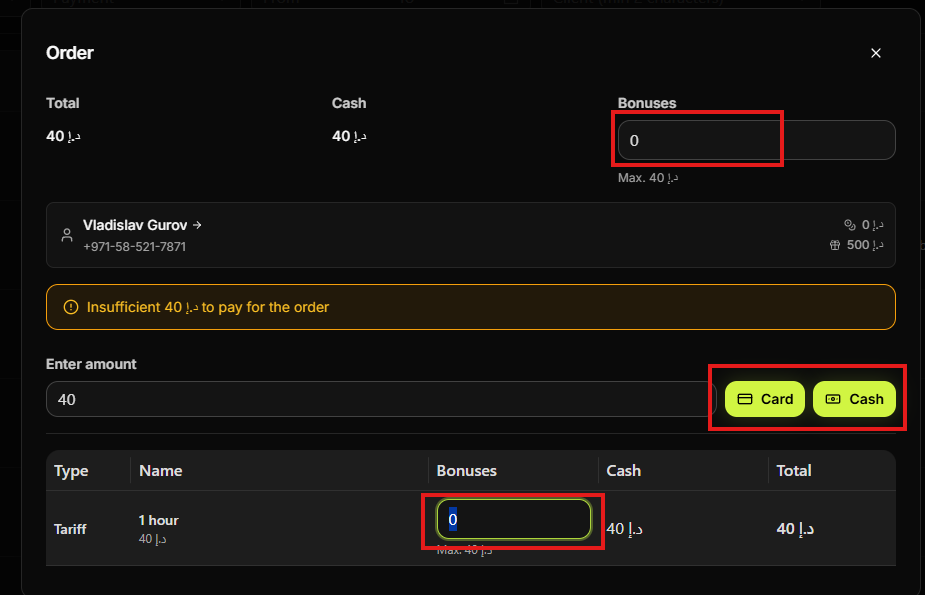
In the order or payment step, ensure payment is set to use the player's Bonuses. The system will deduct the tariff cost from the bonus balance. Adjust the split between bonuses and cash if allowed.
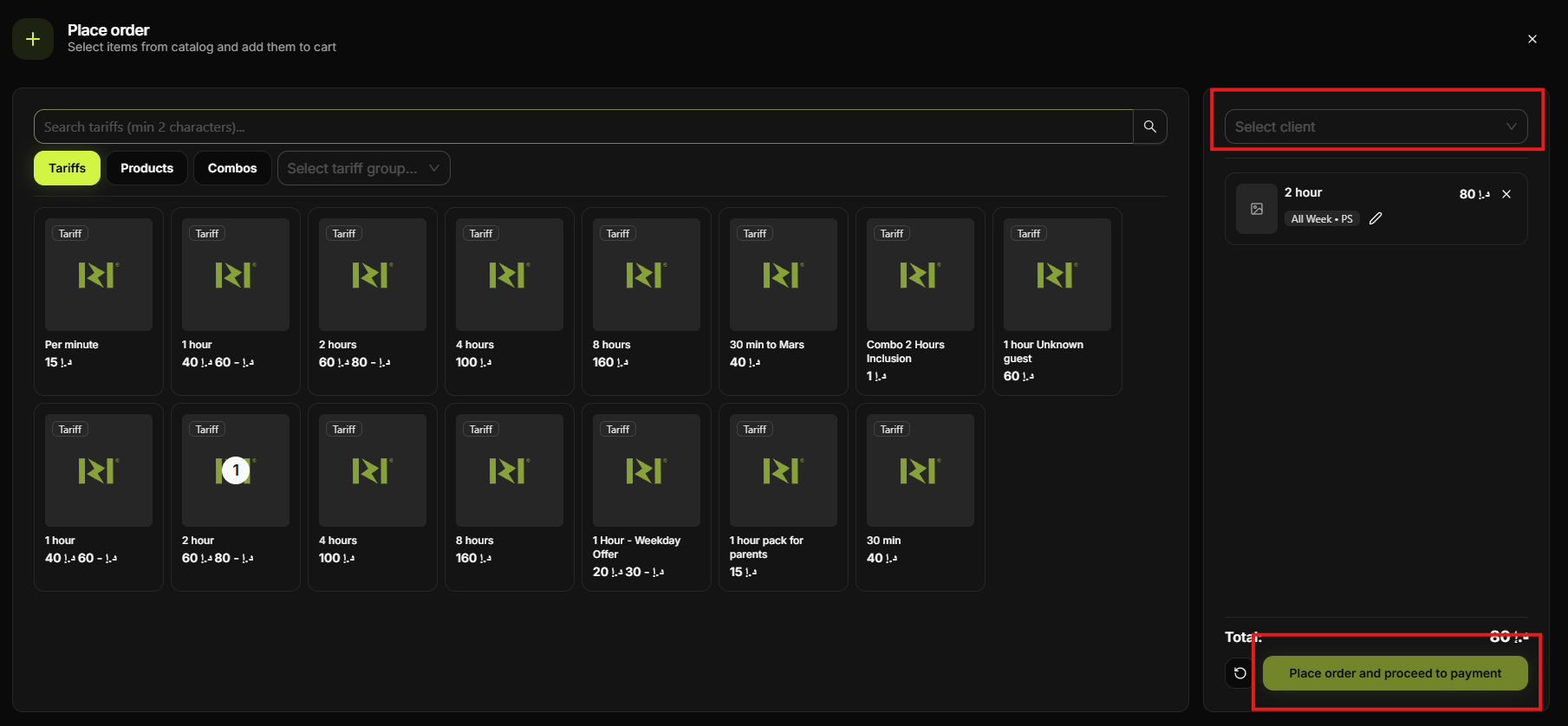
Step 5. Confirm
Review the order and confirm. The tariff is activated and the bonus balance is debited. The session appears in the schedule.
Summary of scenarios
| Bonuses | Player has enough bonus balance; no card/cash at this step. |
| Balance | See "Activate tariff using existing balance" — pay from main balance. |
| Card/Cash | See "Activate tariff with payment" — collect payment at the order step. |
Common situations
| Not enough bonuses | Top up bonuses first (Transactions → Top up bonuses) or use balance/card/cash for this session. |
| Bonuses option not shown | Ensure the client has a bonus balance and the tariff allows bonus payment; check club settings. |
| Session not created | Confirm the order; check that client and device are selected and the tariff was added to the cart. |