Extend current session
Add more time to a session that is already running. Find the session (e.g. in the Hall or Control Center), add an extra tariff or extend duration, and pay if required.
Step 1
Open Hall (or Control Center / List). Find the device where the session is running.

Step 2
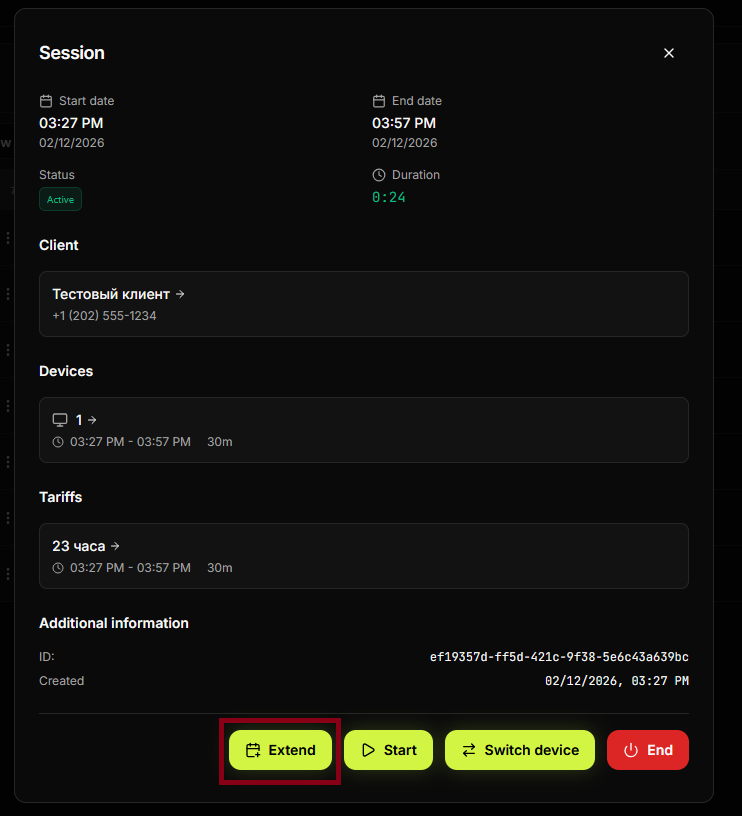
Open the session or device context (e.g. click the device, or the menu/ellipsis next to it). Choose the action to extend or add time.

Step 3
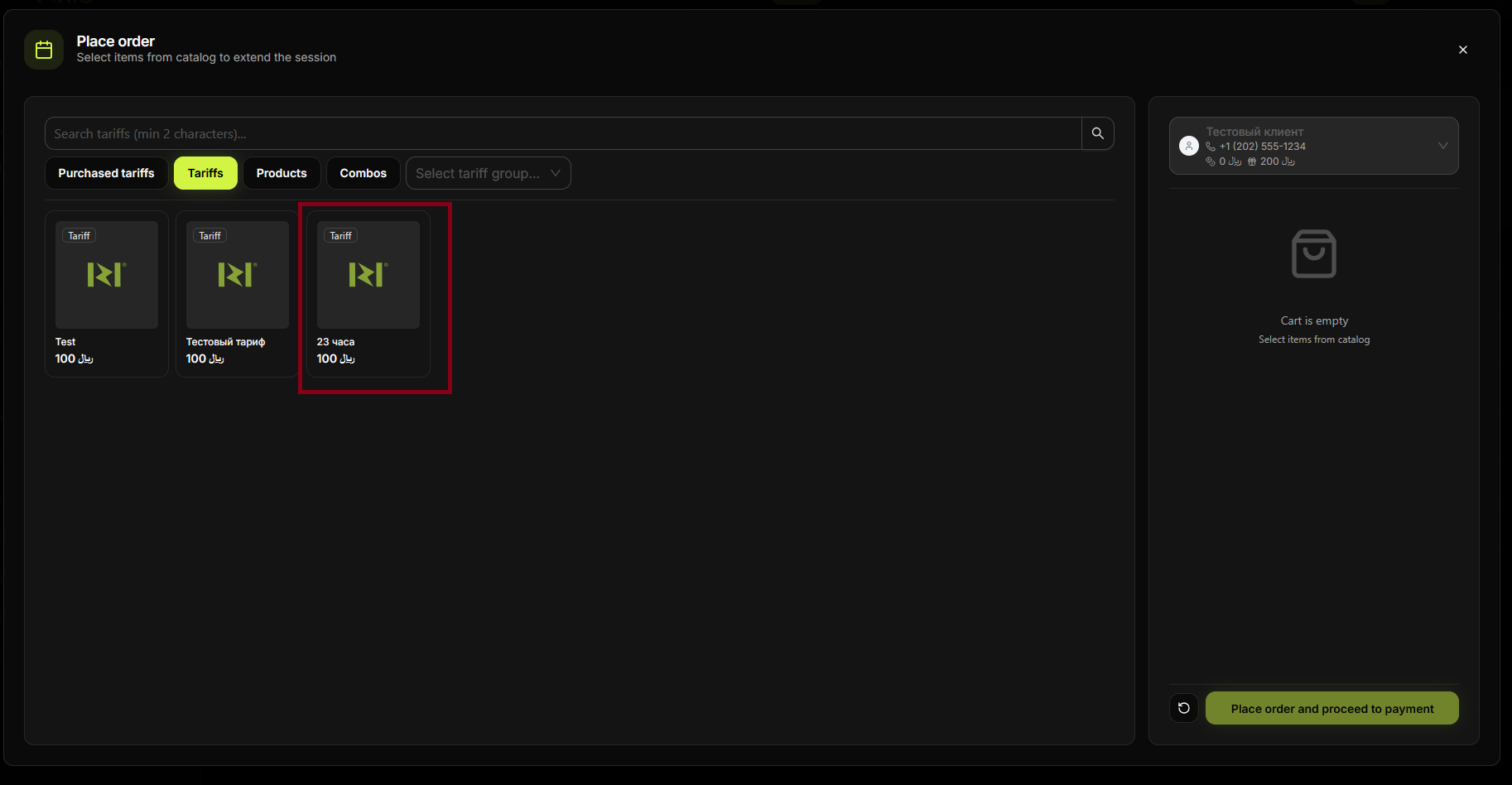
Select the tariff or duration to add (e.g. +1 hour). If a configuration dialog appears, set the time and confirm.
Step 4
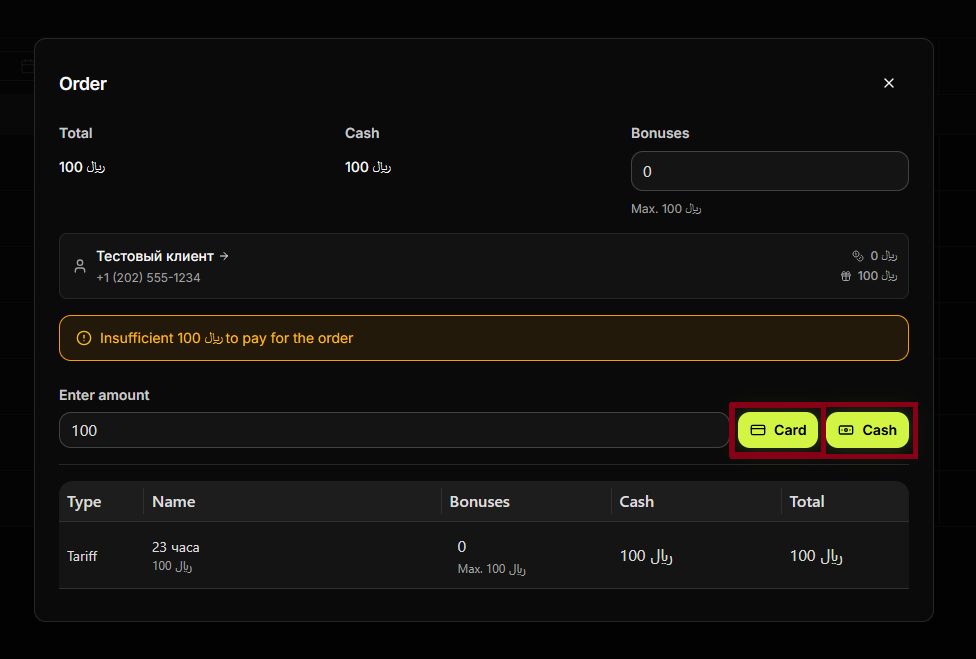
If payment is required, enter the amount and choose Card or Cash, or pay from balance/bonuses.
Step 5
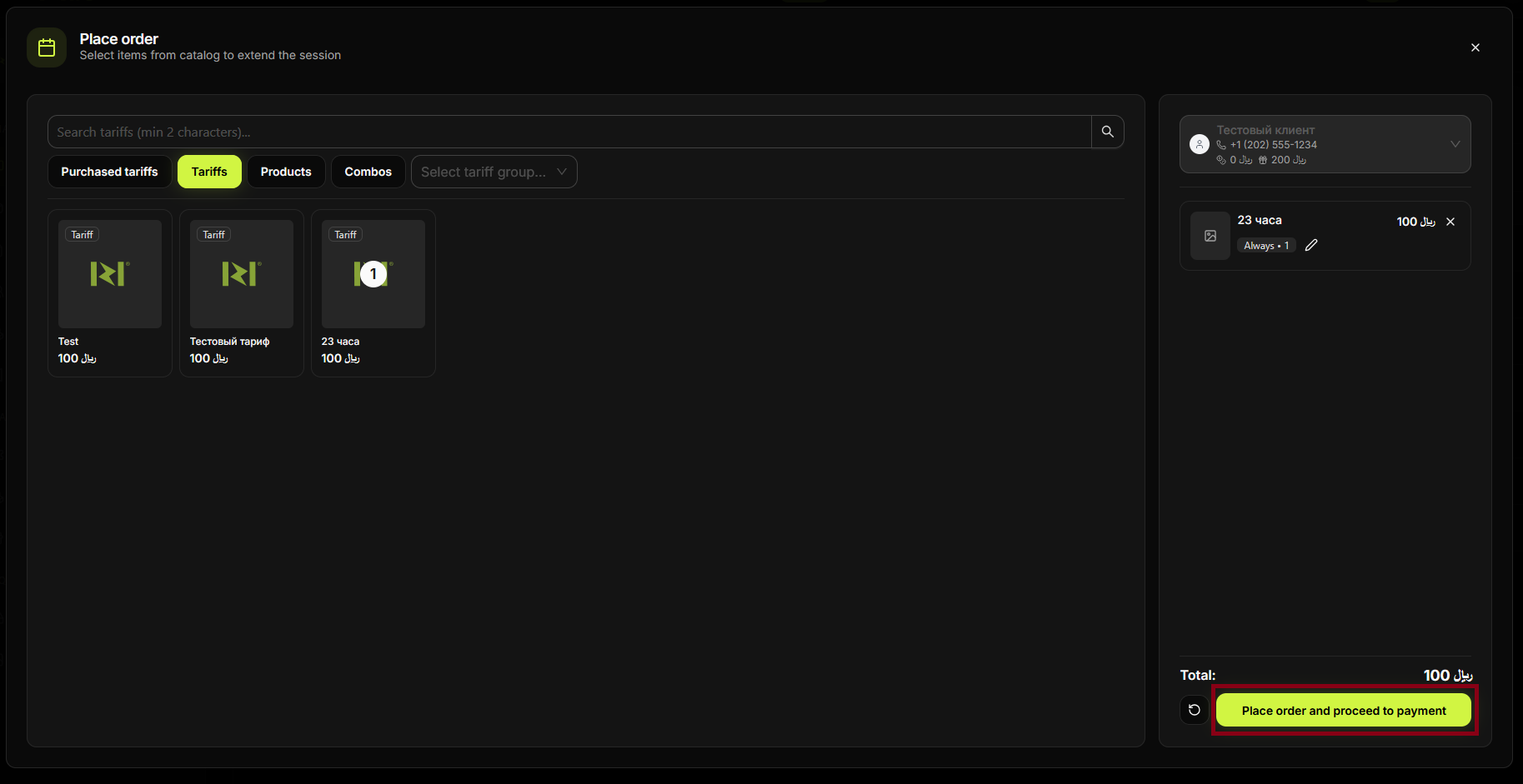
Confirm. The session is extended; the new end time is updated.
Step 6
The device and Hall show the updated session time. The client can continue using the PC.
Summary
Extend = add time to an active session. Usually: Hall → select device/session → extend / add tariff → pay (if needed) → confirm.
Common situations
| No extend option | Check that the session is active (not Wait/Finished); use the device menu or session card. |
| Time not updated | Refresh the Hall; ensure you confirmed the extension. |