Book session now
Book a session that starts immediately: select Play now, choose the client and device, add the tariff, pay, and the session starts right away.
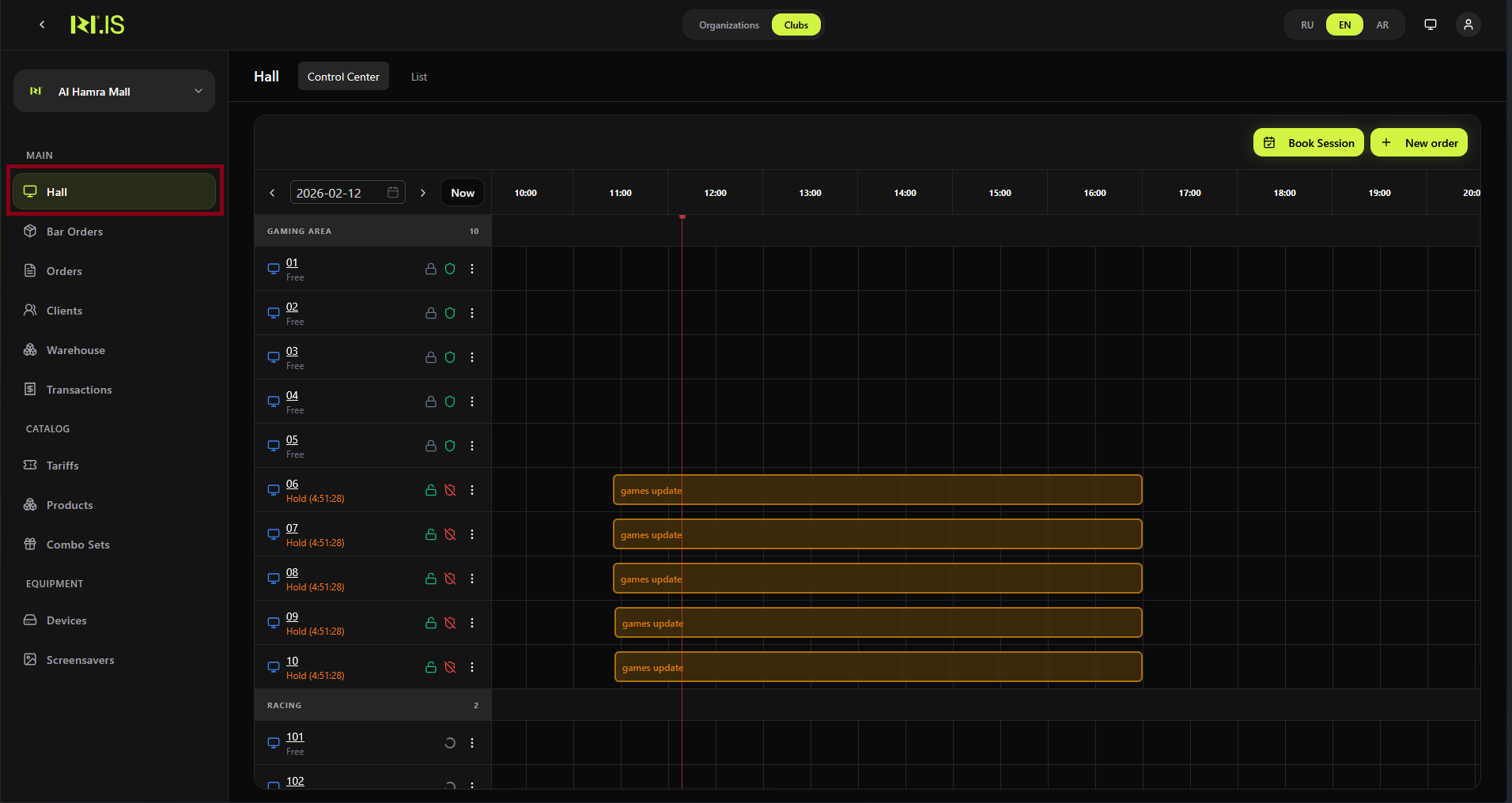
Step 1. Open Hall and Book Session
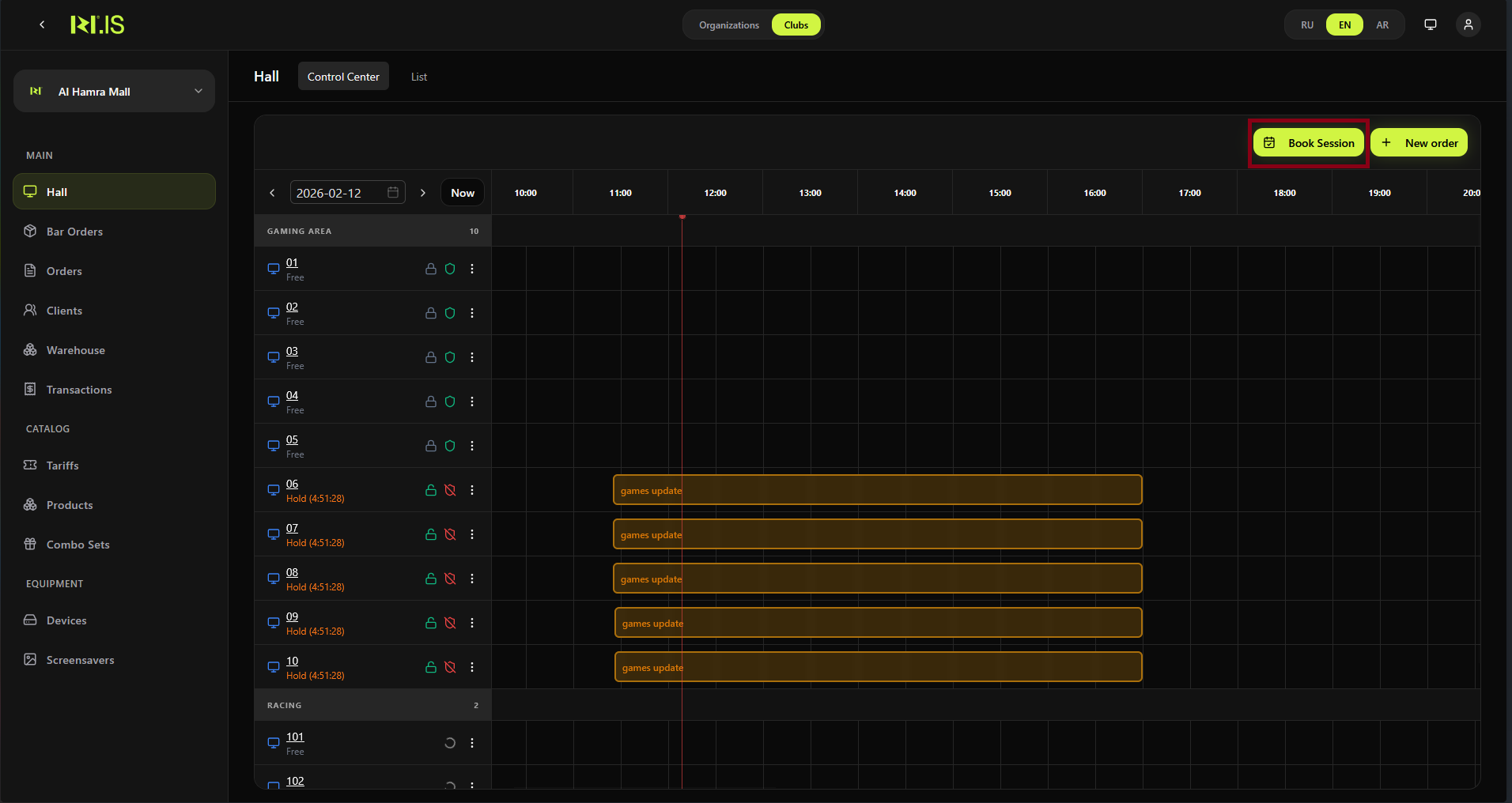
In the left sidebar, select Hall. Click Book Session.
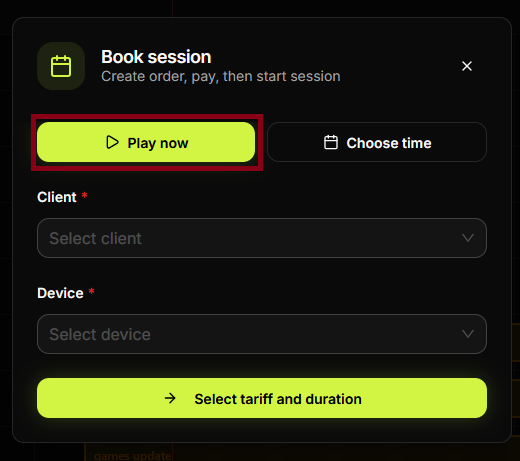
Step 2. Choose Play now
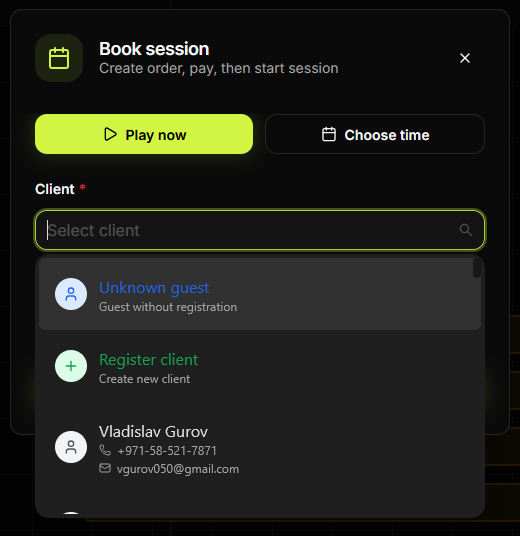
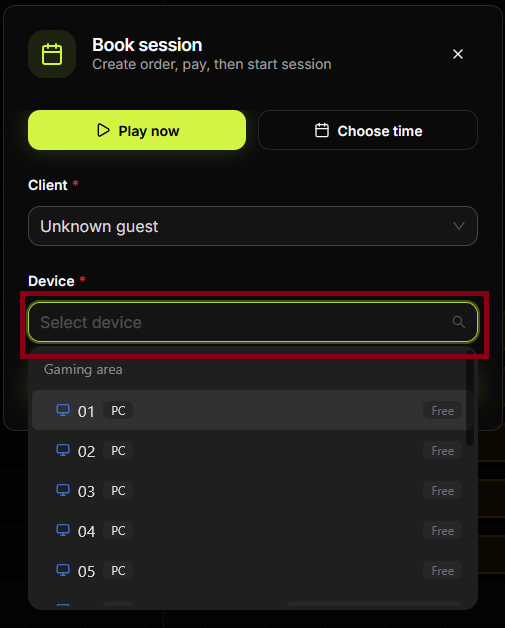
In the Book session dialog, select Play now (not Choose time). Then select **Client *** and **Device ***.
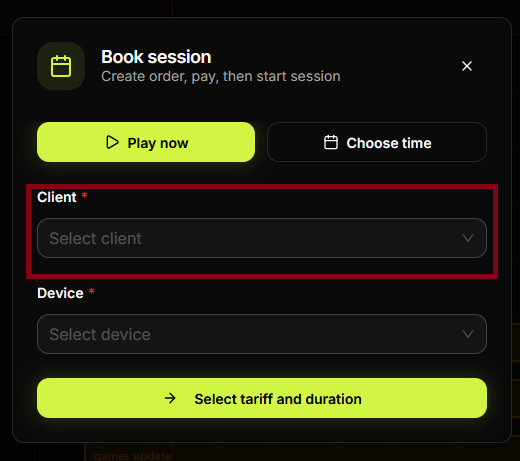
Step 3. Select client
In **Client ***, choose an existing client or Unknown guest. In **Device ***, select a free PC.
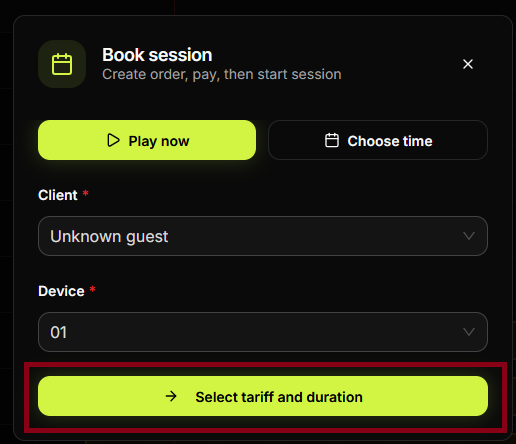
Step 4. Select tariff and duration
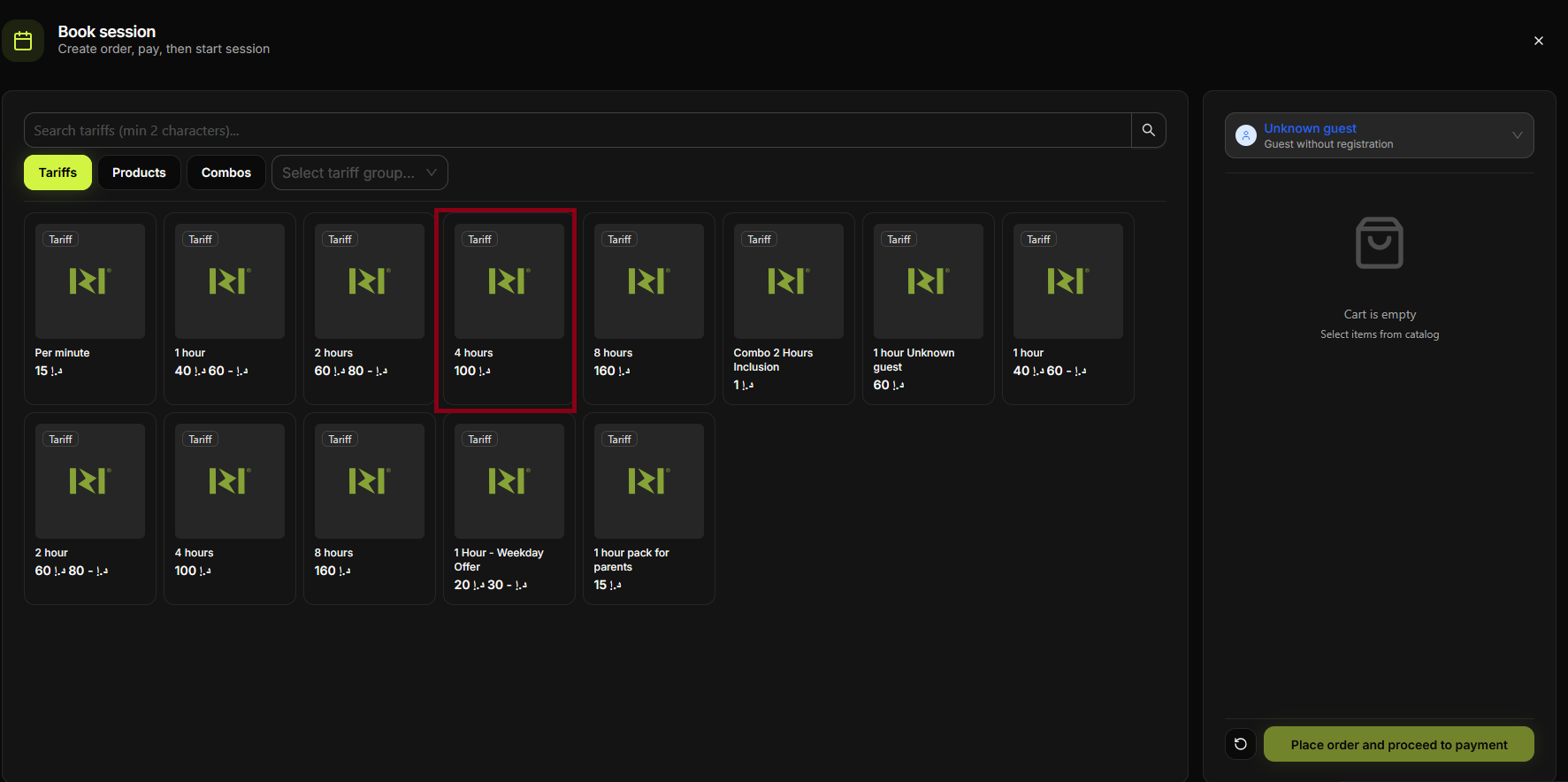
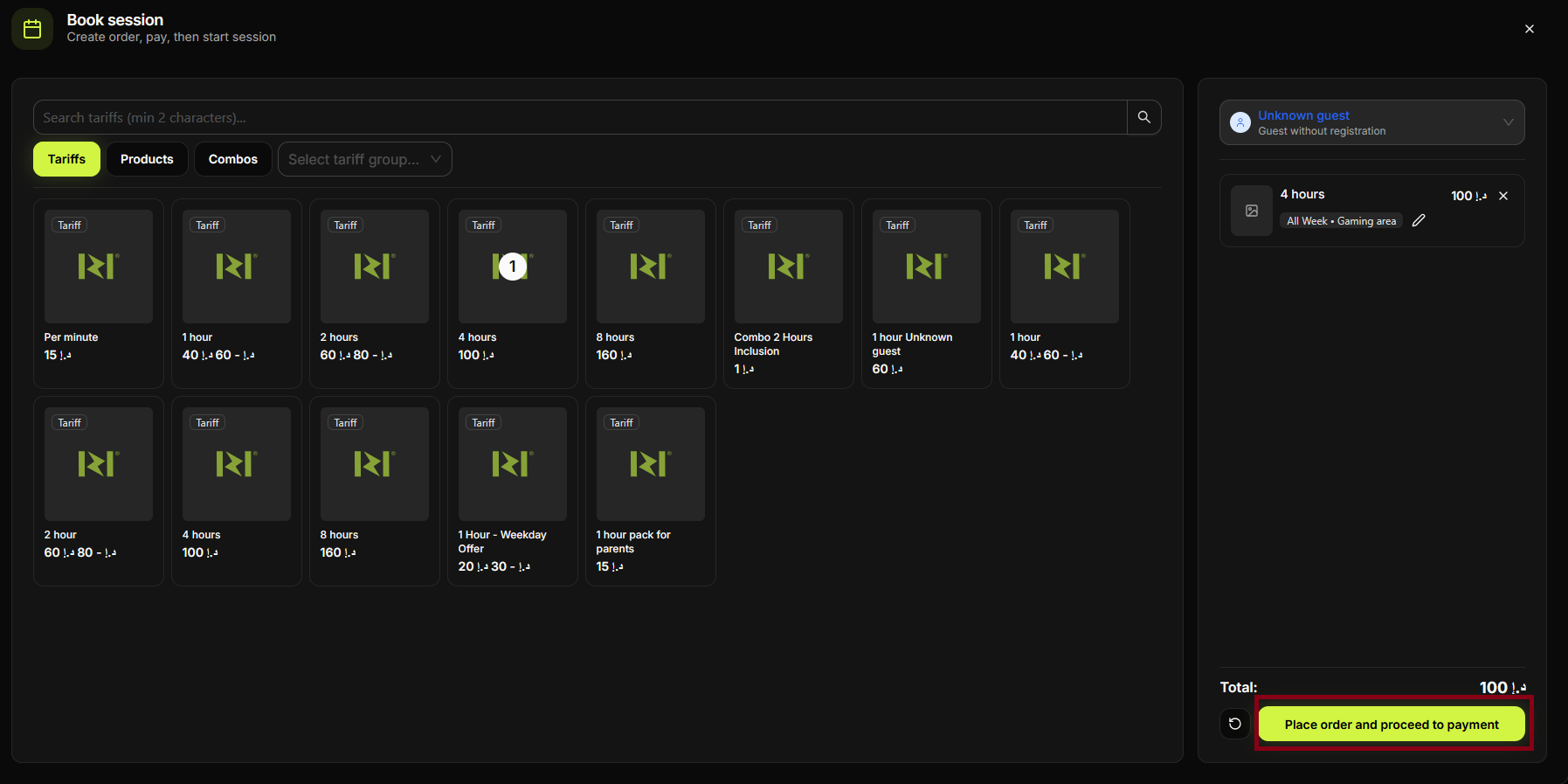
Click Select tariff and duration. In the Tariffs tab, click the tariff (e.g. 1 hour).
Step 5. Configure and add tariff
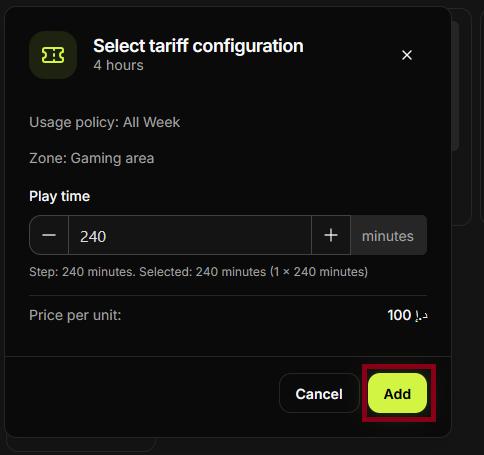
If the configuration dialog appears, set play time and click Add. The tariff is added to the cart.
Step 6. Place order and proceed to payment
Check the cart and total. Click Place order and proceed to payment.
Step 7. Enter amount and pay
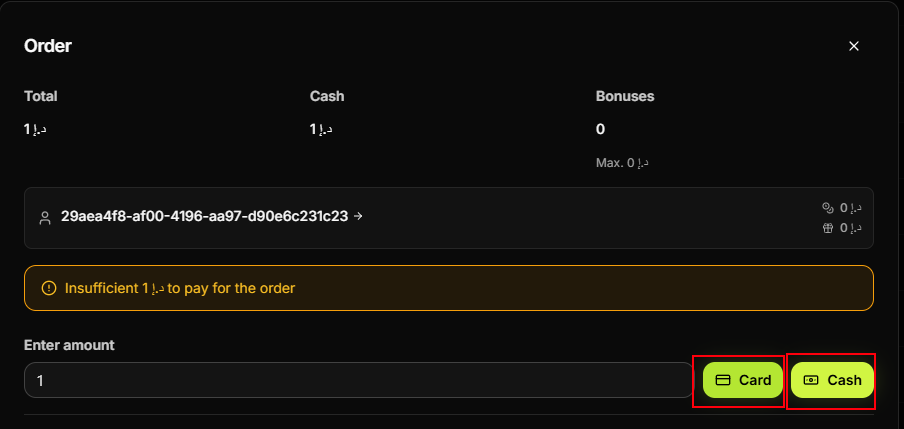
In the Order dialog, enter the amount and choose Card or Cash. Complete the payment.
Step 8
Confirm the order. The session is created and starts immediately (Play now).
Step 9
The device shows the session as active. The client can start using the PC.
Step 10
You can check the session in the Hall or Control Center.
Step 11
The transaction appears in Transactions. Session is fully completed.
Summary
Play now = immediate start. Flow: Hall → Book Session → Play now → Client & Device → Tariff → Pay → session starts.
Common situations
| No free devices | Choose another PC or wait; use Choose time to book for later. |
| Session not starting | Ensure payment was completed; refresh the Hall view. |