Top up player bonus balance
Credit bonuses to a player's account from the Transactions section using Financial Operations → Top up bonuses.
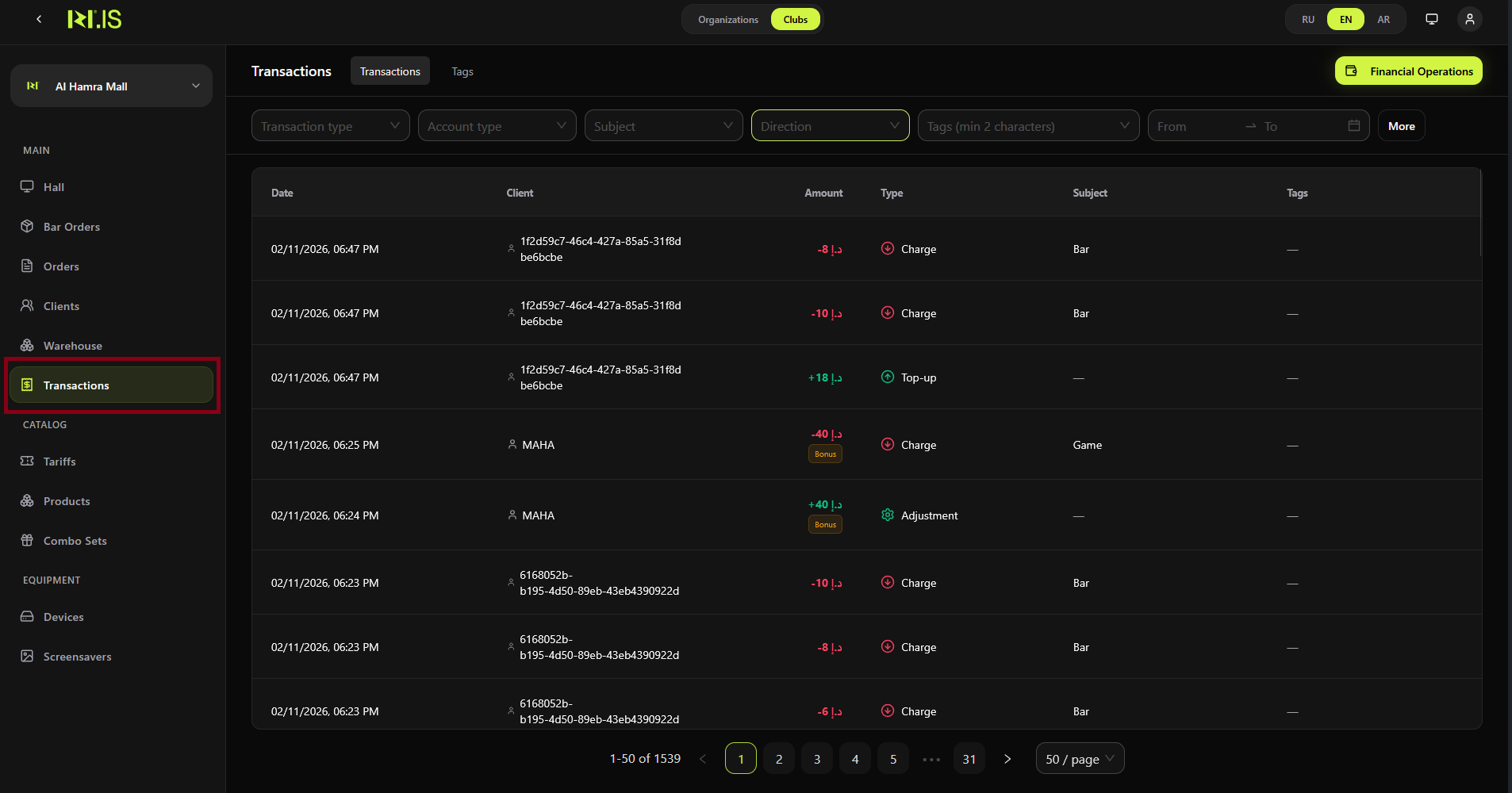
Step 1. Open Transactions
In the left sidebar, select Transactions. The main area shows the transaction list and filters.
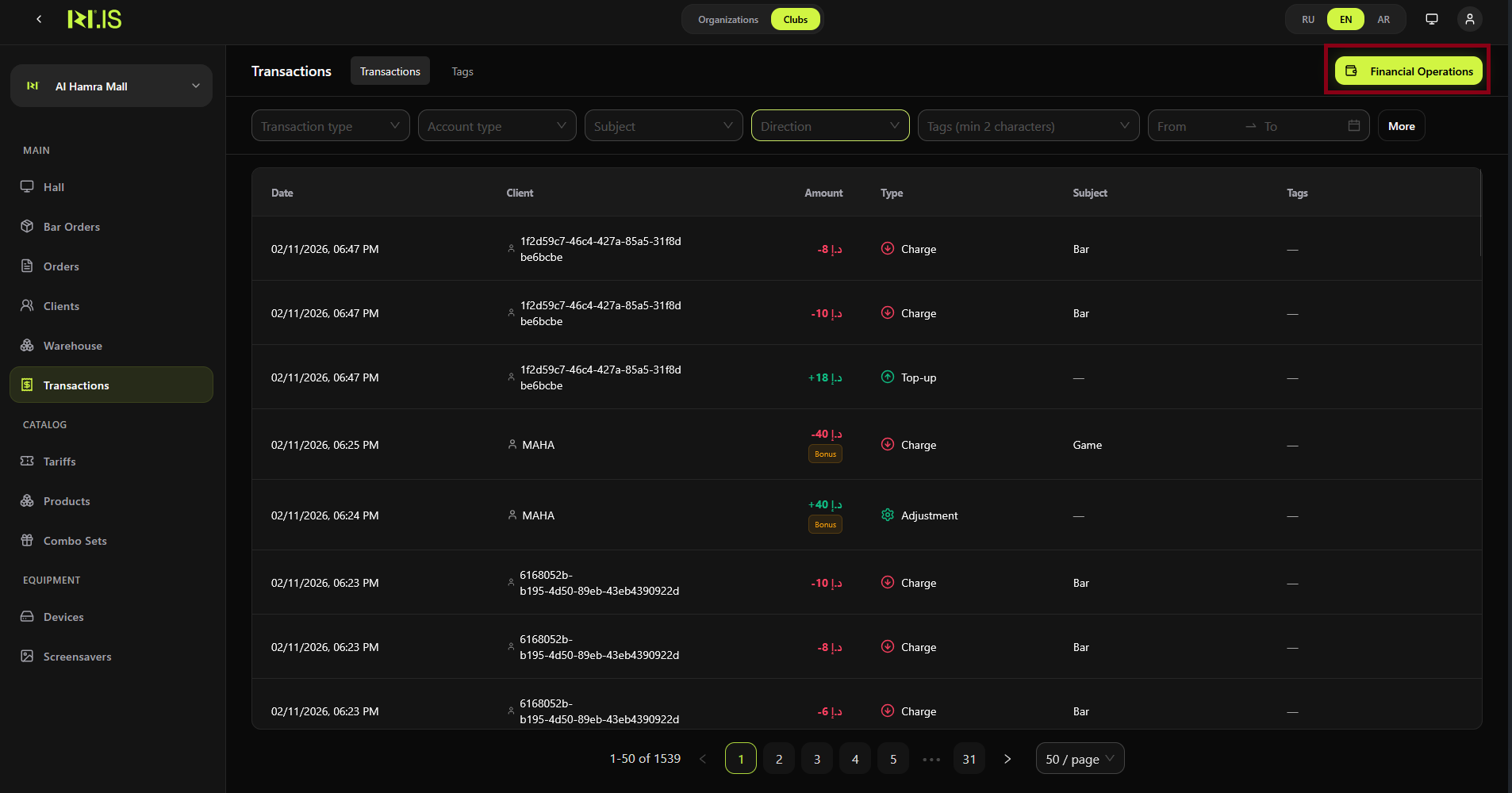
Step 2. Open Financial Operations
Click the Financial Operations button in the top right. A dropdown menu opens.
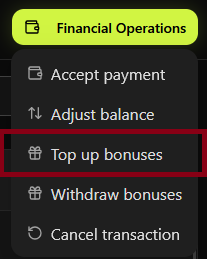
Step 3. Choose Top up bonuses
In the dropdown, select Top up bonuses. The "Top up bonuses" dialog opens (Credit bonuses to the player's account).
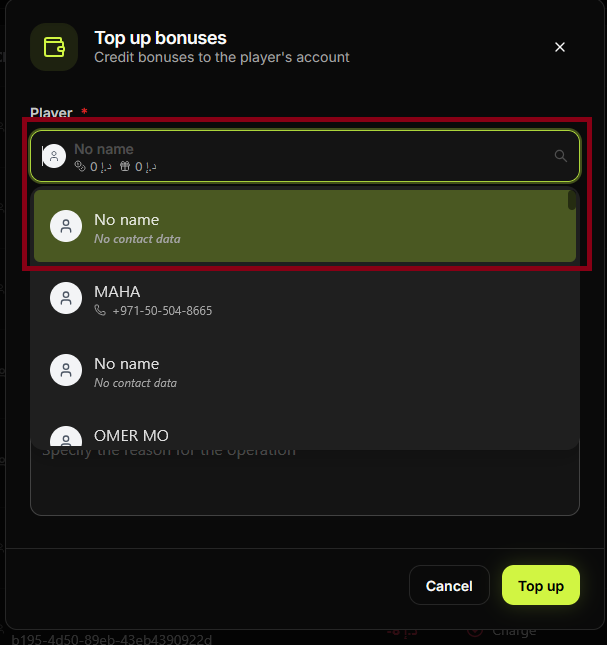
Step 4. Select the player
In the **Player *** field, search or select the player you want to credit. You can type to search by name or contact.
Step 5. Enter Top-up Amount
In the **Top-up Amount *** field, enter the number of bonuses to credit to the player.
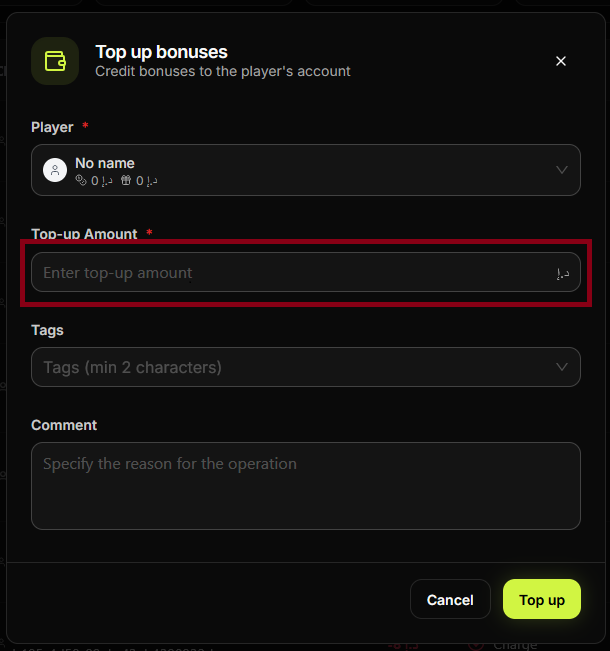
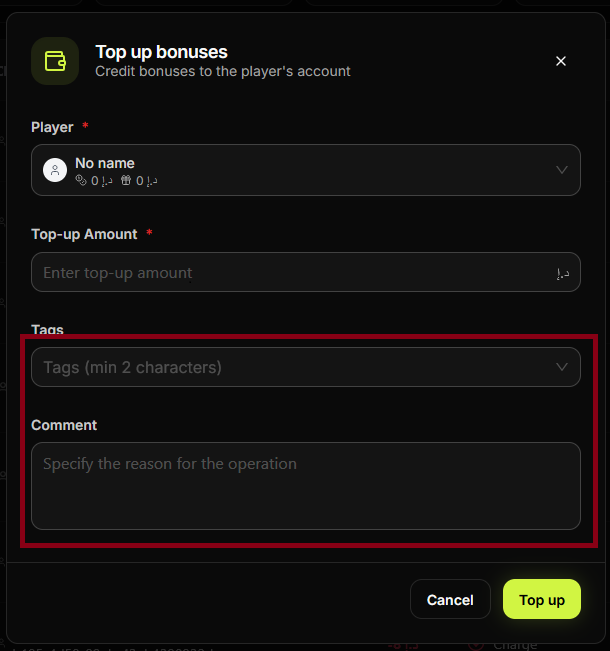
Step 6. Add Tags and Comment
Optionally fill in Tags. Fill in Comment to document the reason for the operation (required).
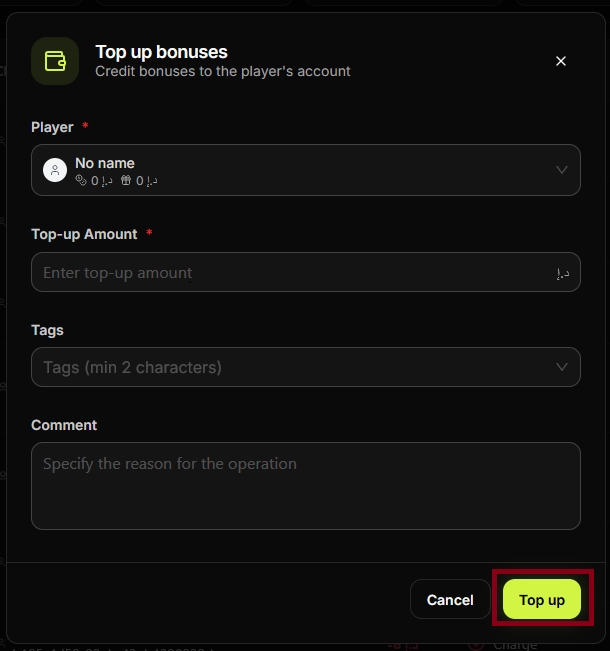
Step 7. Click Top up
Check the player, amount, and comment. Click Top up to complete the operation. The bonuses are credited and a new transaction appears in the Transactions list.
Related: Withdraw bonuses
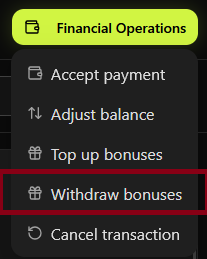
From the same Financial Operations menu you can Withdraw bonuses (deduct from the player's bonus balance). The screens below match the steps of that flow.
Step 8. In the Financial Operations dropdown, select Withdraw bonuses.
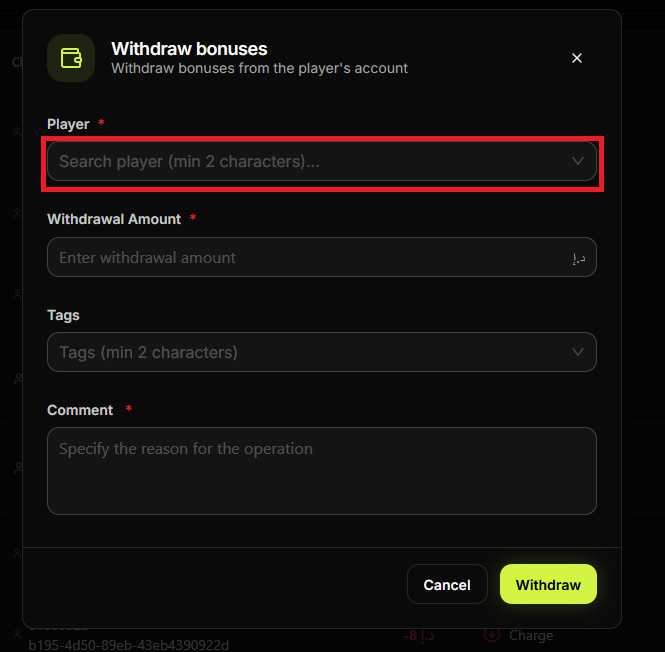
Step 9. The "Withdraw bonuses" dialog opens. In **Player ***, search and select the player.
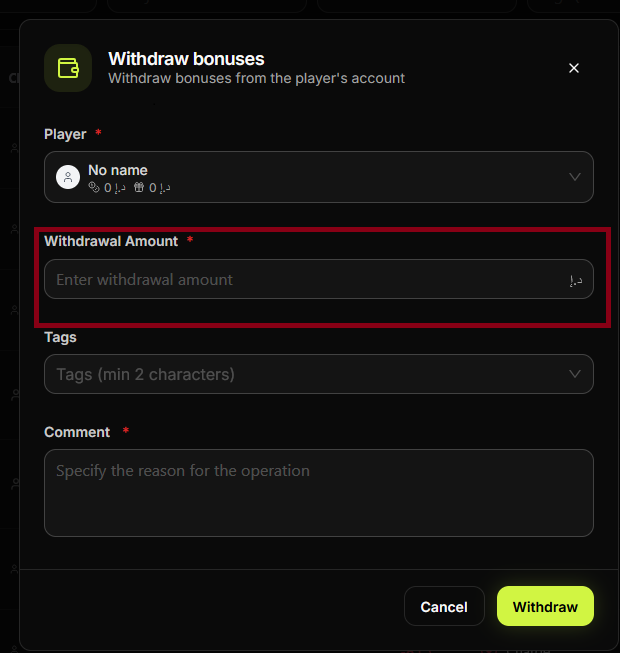
Step 10. Enter the **Withdrawal Amount ***.
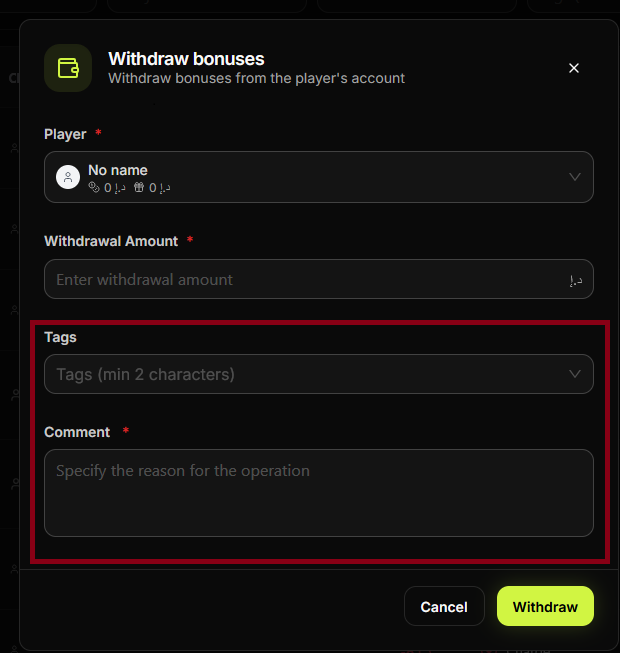
Step 11. Optionally add Tags; fill in **Comment *** (required).
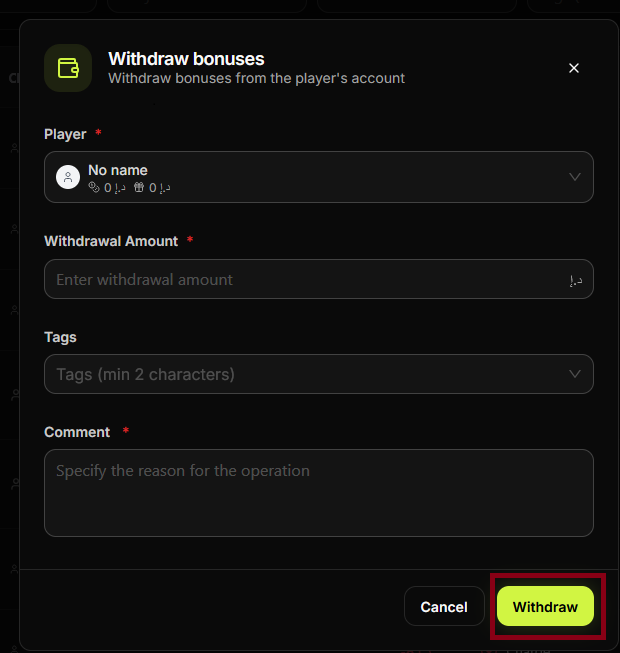
Step 12. Click Withdraw to confirm. The bonuses are deducted from the player's account.
Summary
| Operation | Effect | Menu path |
|---|---|---|
| Top up bonuses | Credits bonuses to the player's bonus account | Financial Operations → Top up bonuses |
| Withdraw bonuses | Deducts bonuses from the player's bonus account | Financial Operations → Withdraw bonuses |
Common situations
| Comment is required | Fill in the Comment field before clicking Top up; the button may stay disabled until it is filled. |
| Wrong player selected | Close the dialog and start again, or cancel before confirming. You cannot edit the player after Top up. |
| Need to deduct bonuses | Use Financial Operations → Withdraw bonuses, not Top up bonuses. |
| Transaction not visible | Refresh the Transactions list or adjust the date filter; the new operation appears as a bonus top-up. |